
ChatGPT vs Claude for Coding: Ultimate Comparison Guide 2026
If you’ve spent any time in developer communities lately — Reddit threads, X (Twitter) debates, Discord servers — you’ve probably noticed one question keeps coming up: ChatGPT or Claude for coding?
It’s not a trivial debate. Both tools have matured dramatically in 2026. Both have released powerful new models and agentic coding capabilities. And both are being used by millions of developers to write, debug, review, and ship real production code every single day.
But they’re not the same. They have different strengths, different philosophies, and different ideal use cases. Choosing the wrong one for your workflow could mean wasted time, frustrating outputs, and a lot of manual fixing.
In this guide, we go deep — comparing ChatGPT (powered by OpenAI’s GPT-5 family) and Claude (powered by Anthropic’s Claude 4 family, including Sonnet 4 and Opus 4) across every dimension that matters to developers in 2026. We’re talking code quality, debugging, large codebase handling, agentic coding, pricing, IDE integrations, and real-world developer experiences. By the end, you’ll know exactly which one is best and which one to use — and when.
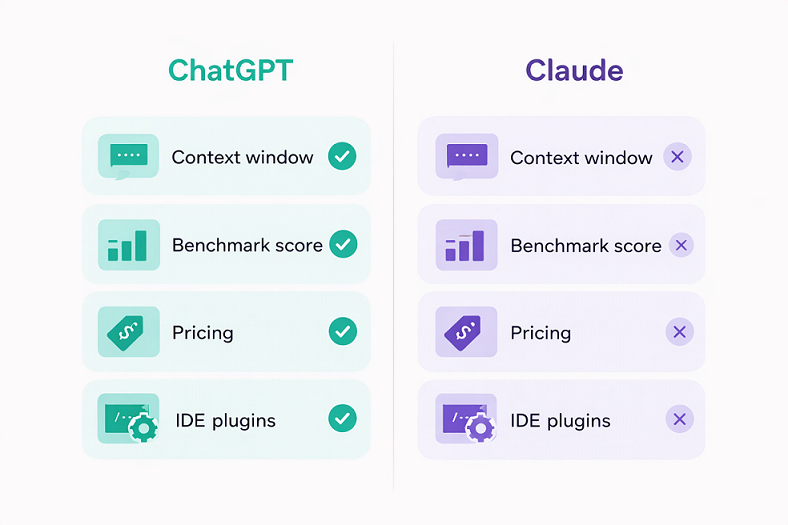
📊 Quick Comparison Table: ChatGPT vs Claude for Coding (2026)
| Feature | ChatGPT (GPT-5 Family) | Claude (Claude 4 Family) |
| Best Model for Coding | GPT-5.2 / GPT-5.3 Codex | Claude Opus 4.6 / Sonnet 4 |
| Context Window | 128K tokens | 200K tokens (1M via API) |
| Code Quality | Good — fast, functional | Excellent — clean, production-ready |
| Debugging | Strong for quick fixes | Superior for complex, multi-file bugs |
| Large Codebases | Struggles beyond 128K | Handles 500K+ line codebases |
| Agentic Coding | ChatGPT Codex (cloud-based) | Claude Code (terminal-native) |
| SWE-bench Score | ~70–75% (GPT-5) | ~80.9% (Claude Opus 4.5) |
| IDE Integration | VS Code, JetBrains, GitHub Copilot ecosystem | VS Code, Cursor, Augment, terminal |
| Image Generation | ✅ DALL-E built-in | ❌ Not available |
| Voice Mode | ✅ Available | ❌ Not available |
| Memory | ✅ Persistent memory | ❌ No persistent memory (yet) |
| Pricing (Pro) | $20/month (Plus) | $20/month (Pro, includes Claude Code) |
| Best For | Quick scripts, versatility, multimedia | Complex projects, code quality, large repos |
1. The Models: What Are We Actually Comparing?
Before we dive into the head-to-head, it’s worth clarifying which models we’re talking about in early 2026.
On the ChatGPT side, OpenAI has GPT-5.2 as the primary model available to ChatGPT Plus subscribers, with GPT-5.3 Codex being the agentic coding-focused variant available as a separate product. GPT-5 brought significant improvements in coding benchmarks and multimodal capabilities.
On the Claude side, Anthropic’s Claude 4 family includes Claude Sonnet 4 (the balanced, everyday workhorse) and Claude Opus 4.6 (the most capable model for complex reasoning and engineering tasks). Claude Code — the terminal-native coding agent — runs on Sonnet 4 and Opus 4 models and is included in the Claude Pro plan.
The key philosophical difference: OpenAI optimizes for speed, breadth, and ecosystem integration. Anthropic optimizes for reasoning depth, code quality, and safe, reliable outputs. This underlying difference shows up in every benchmark and every real-world test.
2. Code Generation Quality: Who Writes Better Code?
This is the core question for most developers, and the answer is nuanced.
Simple Scripts and Quick Prototypes
For a quick Python script, a simple React component, or a JavaScript utility function, both models perform well. ChatGPT is often faster — its average response time is around 45ms versus Claude’s 50ms — and it tends to just do what you asked without adding caveats or alternative approaches.
In independent tests, when asked to write a Python Fibonacci function, ChatGPT produced a clean recursive version with memorization. Claude produced the same function, but optimized it further with dynamic programming and added JSDoc-style comments explaining edge cases. Both worked. Claude’s was slightly more production-ready out of the box.
Winner for quick scripts: Tie (ChatGPT slightly faster, Claude slightly cleaner)
Complex, Multi-File Projects
This is where the gap widens considerably. When working on multi-file React or Next.js projects, Claude consistently keeps state and component logic coherent across files. Its 200K token context window means it can hold an entire mid-sized codebase in memory at once, tracking dependencies, imports, and architectural decisions without losing the thread.
ChatGPT’s 128K context window is still substantial, but on larger projects, it can start to lose track of earlier context, leading to inconsistencies between files that require manual correction. Developers on X and Reddit frequently mention spending extra time reconciling ChatGPT’s outputs on larger projects.
In a 2026 blind developer test comparing TypeScript implementations, Claude produced fully type-safe code with proper generics and JSDoc comments, while ChatGPT’s solution — though functional — used any types in several places, which can cause headaches in stricter TypeScript setups.
Winner for complex projects: Claude
Frontend Development (React, Vue, CSS)
Claude produces more polished frontend code. Its UI outputs tend to be visually structured, with thoughtful component decomposition and clean prop management. When tested with the same prompt to build a game or interactive component, Claude’s result scored higher on UI quality and completeness.
ChatGPT is no slouch here either — it’s faster and handles a broader range of frameworks confidently. For developers who need functional output quickly and plan to style it themselves, ChatGPT works great. For those who want more production-ready output with less post-processing, Claude has an edge.
Winner for frontend: Claude (narrowly)
Backend Development (APIs, Databases, Microservices)
Claude shines particularly bright in backend development. It handles complex API design, database schemas, multi-service architectures, and intricate business logic with greater consistency and fewer errors than ChatGPT. Its ability to reason through dependencies and side effects makes it particularly good for Node.js, Python, and Go backends.
ChatGPT is strong here too — GPT-5.2 has greatly improved backend code quality — but Claude’s structured reasoning approach leads to fewer logical errors on complex data flows.
Winner for backend: Claude
3. Debugging: Finding and Fixing the Real Problems
Debugging is arguably where AI coding assistants provide the most day-to-day value. A tool that can identify why something is broken — not just suggest a random fix — is invaluable.
Simple Error Fixing
Both models handle straightforward errors well. Drop in a stack trace, describe the issue, and both ChatGPT and Claude will identify the problem and provide a fix. At this level, you’ll be happy with either.
Complex, Multi-Layered Bugs
Claude’s structured reasoning approach gives it a meaningful edge on complex debugging tasks. When developers submit tricky bugs — memory leaks, race conditions, subtle logic errors buried in dozens of lines of code — Claude tends to explain what’s wrong and why more clearly than ChatGPT. It thinks through edge cases, considers interactions between components, and often identifies secondary issues that aren’t immediately obvious.
In a 2026 real-world bug hunt test (published by Tom’s Guide), Claude Code demonstrated stronger security flaw detection and more careful analysis of underlying causes rather than surface-level symptoms.
Winner for debugging: Claude
Honesty About Uncertainty
One underrated aspect of debugging with Claude: it’s more likely to say “I’m not sure” or ask a clarifying question rather than confidently producing a wrong answer. This saves developers from rabbit holes caused by plausible-sounding but incorrect AI suggestions. ChatGPT tends to be more assertive, which is useful when it’s right, but more problematic when it’s wrong.
4. Agentic Coding: Claude Code vs ChatGPT Codex
The biggest development in AI coding in 2026 is the rise of coding agents — AI systems that don’t just answer questions but can autonomously navigate codebases, make multi-file edits, run tests, and submit pull requests. Both OpenAI and Anthropic have released competing products here, and they have very different personalities.
Claude Code
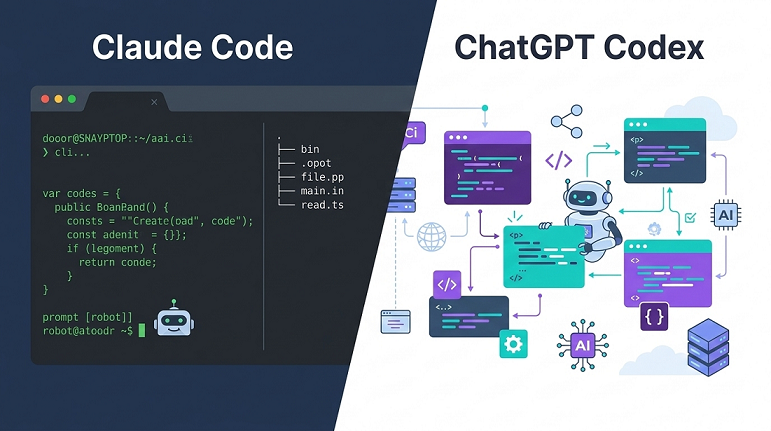
Claude Code is a terminal-native agent that runs directly in your development environment. It understands your project structure, coordinates edits across multiple files, integrates with your IDE, test suites, and build systems, and keeps you in control of every change it makes. It processes code locally, which has strong privacy benefits for enterprise use.
Claude Code excels at complex, long-horizon tasks — the kind of multi-step refactoring or architectural migration that takes hours of focused work. Developers using Claude Code with tools like Cursor or Augment report 20–50% faster resolution times on real engineering tasks compared to working without AI assistance.
ChatGPT Codex (GPT-5.3)
ChatGPT Codex runs in secure cloud sandboxes. It’s optimized for speed and integrates naturally into cloud-based DevOps pipelines. It can run tests, apply edits, and even generate pull requests automatically, making it a strong fit for teams already embedded in cloud-first workflows.
Codex feels streamlined and efficient for rapid iteration — spinning up prototypes, automating repetitive tasks, and integrating into CI/CD pipelines. Where Claude Code emphasizes careful reasoning about code quality, Codex emphasizes throughput and workflow automation.
The Verdict on Agentic Coding
For terminal-heavy, Git-native environments working on complex codebases — especially legacy systems or large monorepos — Claude Code is the stronger choice. For cloud-native teams who prioritize speed, automation, and integration with existing DevOps tooling, ChatGPT Codex may be the better fit.
Winner for agentic coding: Claude Code (for complexity) / ChatGPT Codex (for cloud speed)
5. Benchmark Performance: The Numbers
For those who want hard data, here’s where the models stand on key coding benchmarks in early 2026:
SWE-bench Verified (resolving real GitHub issues in full repositories — the most realistic coding benchmark):
- Claude Opus 4.5: ~80.9%
- GPT-5 (OpenAI): ~74.9%
Aider Polyglot (multi-language coding tasks):
- GPT-5: ~88%
- Claude Opus 4.5: Comparable performance
Independent developer testing (30-day functional accuracy on coding tasks):
- Claude 3.7 Sonnet: ~95% functional accuracy
- ChatGPT: ~85% functional accuracy
The picture that emerges from benchmarks is consistent with real-world developer experience: Claude leads on complex, realistic software engineering tasks. ChatGPT remains highly competitive and leads on some speed-oriented benchmarks.
6. Language and Framework Support
ChatGPT has an edge in sheer breadth. Its training data covers an enormous range of frameworks, libraries, and languages, including some niche or newer ones that Claude occasionally struggles with. For developers working with very recent libraries or uncommon languages, ChatGPT’s broader coverage can be an advantage.
Claude covers all mainstream languages exceptionally well — Python, JavaScript/TypeScript, Java, Go, Rust, C++, Ruby, PHP — and produces particularly clean code in these languages. Where it falls slightly short is on very niche libraries or frameworks that emerged recently, where its knowledge may be less comprehensive.
For mainstream development stacks, the difference is negligible. For cutting-edge or niche frameworks, ChatGPT has a slight edge.
7. Code Review and Optimization
When it comes to reviewing existing code, Claude’s strength in reasoning pays dividends. Give it a codebase section to review and it will provide thoughtful analysis covering:
- Code structure and readability
- Performance bottlenecks
- Security vulnerabilities
- Refactoring opportunities
- Best practice violations
ChatGPT provides solid code reviews too, but its analysis can be more surface-level on complex code. Claude tends to identify deeper architectural issues and explain the reasoning behind its suggestions more thoroughly.
For security vulnerability detection specifically, Claude’s careful, methodical approach means it’s less likely to miss subtle issues — an important consideration for production code.
Winner for code review: Claude
8. IDE Integration and Developer Workflow
ChatGPT
ChatGPT integrates with VS Code and JetBrains through plugins, and its ecosystem is vast. With the GitHub Copilot ecosystem, OpenAI’s models are available in a wide range of developer tools. The Code Interpreter feature adds unique capabilities for data analysis and testing. ChatGPT’s multimodal support — combining code with text, images, and documents — makes it flexible for mixed workflows like generating UI from a screenshot.
Claude
Claude integrates with VS Code, and has become the preferred backend for several popular AI coding tools including Cursor and Augment. Claude Code works natively in the terminal, making it a first-class citizen in developer workflows without needing to leave your environment. The Projects feature helps maintain context across longer development sessions.
For developers who live in the terminal and prefer a code-first workflow, Claude’s integrations feel more natural. For developers who want a broad ecosystem with GUI-based tools and multimodal features, ChatGPT’s ecosystem is richer.
9. Pricing in 2026
Both tools offer comparable pricing at the standard paid tier:
Claude:
- Free: Limited access to Claude Sonnet
- Claude Pro ($20/month): Full access, 5x usage limits, Claude Code included, priority access
- Claude Max ($100–$200/month): Highest limits, Claude Opus 4.6 access, extended thinking
ChatGPT:
- Free: Limited GPT-4o access
- ChatGPT Plus ($20/month): Full GPT-5.2 access, DALL-E image generation, Sora video (720p), voice mode, 5x limits
- ChatGPT Pro ($200/month): Highest limits, priority access to all models
At the $20/month tier, ChatGPT Plus packs more features — image generation, video creation, voice mode, persistent memory, and custom GPTs. It’s a more feature-rich subscription for users who want one tool for everything.
Claude Pro is more focused, but the inclusion of Claude Code is a significant value proposition for developers specifically. If coding is your primary use case, Claude Pro gives you access to one of the most powerful coding agents available at the same price point.
10. Real Developer Experiences in 2026
What are actual developers saying? The community consensus that has emerged from Reddit, X (Twitter), and blind developer tests in early 2026 is fairly consistent:
Claude is frequently called the “developer’s pick” for depth, reliability, and code quality. Many developers who switched to Claude for their primary engineering work cite better analysis, less frustration with wrong answers, and cleaner output that requires less post-processing.
ChatGPT wins for versatility and ecosystem. Developers who need image generation, voice capabilities, web browsing, persistent memory, and a broad tool ecosystem often prefer ChatGPT as their primary assistant.
The most common real-world pattern: professionals use both strategically — Claude for serious engineering work (complex debugging, architecture, code review, large refactors), ChatGPT for brainstorming, multimodal tasks, and quick questions.
As one developer summarized it: “Claude for when accuracy matters. ChatGPT for when speed matters.”
11. Use Case Recommendations
Use Claude When:
- Working on large, complex codebases with multiple files and dependencies
- You need deep debugging of subtle or multi-layered bugs
- Code quality and clean architecture are top priorities
- Doing security reviews or performance optimization
- Working in a terminal-native, Git-centric workflow
- Your projects require consistent, production-ready code with less post-processing
- You value honesty over confidence — Claude admits uncertainty rather than hallucinating
Use ChatGPT When:
- You need quick scripts or rapid prototyping and speed is the priority
- Your work involves multiple modalities — images, voice, documents
- You want persistent memory across conversations
- You rely on third-party integrations, custom GPTs, or the broader OpenAI ecosystem
- Working in a cloud-first DevOps environment where Codex’s automation shines
- You need support for very niche or brand-new frameworks and libraries
Use Both When:
- You’re working on a large product with varied needs
- You want to leverage each model’s strengths without being locked in
- You’re comparing outputs to validate approaches before committing
- Cost is not a major concern ($40/month total for both Pro tiers)
12. Final Verdict
After all the testing, benchmarks, and real-world developer feedback, here’s the bottom line:
For coding specifically, Claude is the stronger choice in 2026. Its larger context window, cleaner code output, superior performance on SWE-bench and real-world engineering tasks, and the inclusion of Claude Code make it the AI coding assistant of choice for serious developers. It excels where it matters most: complex projects, reliable debugging, code quality, and large codebase analysis.
ChatGPT remains an outstanding tool — particularly for developers who need versatility beyond just coding, want multimodal capabilities, or are already deeply embedded in the OpenAI ecosystem. Its raw speed, broader framework knowledge, and richer feature set at $20/month make it hard to dismiss.
The honest answer for most developers? Try both. Start with Claude for your primary coding work, and keep ChatGPT for quick questions, brainstorming, and multimodal tasks where it shines. The developers who use both strategically consistently report the best results.
The era of picking one AI and sticking with it is over. The era of knowing which tool is right for which job has begun.
Frequently Asked Questions (FAQs) ChatGPT vs Claude for Coding
A. Based on 2026 benchmarks and developer feedback, yes — Claude edges out ChatGPT for complex coding tasks. Claude Opus 4.5 scored ~80.9% on SWE-bench Verified versus ~74.9% for GPT-5. For simple scripts, both are excellent.
A. Claude Code is Anthropic’s terminal-native AI coding agent, included in the Claude Pro plan ($20/month). It can navigate codebases autonomously, make multi-file edits, run tests, and integrate directly with your development environment.
Claude has a 200K token context window (versus ChatGPT’s 128K), giving it an advantage when working with large codebases or long documents. Claude’s API also supports up to 1M tokens.
A. Both are excellent for beginners. ChatGPT’s conversational style and persistent memory (which tracks your progress across sessions) may give it a slight edge for learning. Claude’s cleaner code and honest uncertainty might help beginners form better coding habits.
A. Absolutely! Many professional developers do exactly this, using Claude for deep engineering work and ChatGPT for quick questions, image generation, and multimodal tasks.
Related Articles:
AI Tools Stack for Business: Complete 2026 Guide

Interesting point about agentic coding! It’s crazy how these tools are moving beyond just simple code generation to actually help with decision-making and strategy. It really changes the way we approach development.